Goodbye, Vim
When I was in high school and I was first exposed to the world of Linux customization, I decided to
follow the hype train I saw online and started using vim as my text editor. I barely scratched the
surface of learning it (I was a filthy arrow key peasant…) but I continued to tinker with it on
and off for well over a decade. As time as gone on, vim has become a second language for me, and
working without it makes me feel inefficient and shackled. I can cut through massive code-bases,
perform single file refactors quickly, and I love any opportunity I can get for a little bit of !
shell magic. Simply put, vim has been the text editor for me, and no matter where I’ve tried to
go – Emacs, Joe, VS Code, Sublime Text – I always find myself crawling back.
There’s a schism in the vim world right now, however. The project has begun accepting LLM-based
changes into the core, and they’ve even boasted about how “AI-ready” vim9 script can
be. While maybe a few
contributions and a poorly-received changelog entry is the extent of it, I worry that the writing is
on the wall, and maybe my venerable text editor is now succumbing to market forces… I don’t want
to use an editor that is slopped together. I don’t want an IDE. I chose to stick with vim over
neovim because vim represented the old-school UNIX ideologies that I really resonated with. It
does one thing well, it has a slow and steady development model, and I can always count on it
working whether I’m shelled into a $5 microcontroller or a $5,000 development machine. The
configuration is terse and obtuse, sure, and the scripting sucks, but in this I think we find
restraint. It’s likely an overreaction, but bringing AI into this development life-cycle (which
was slow, but better for it!) and not recognizing how out of place the words “AI Integration”
sound inside of the release notes signals to me that the hacker spirit I once resonated with has
left the project.
In reflecting on how vim is starting to diverge from my own values and expectations, it occurred
to me that I don’t even know what new features vim has added in the past ten years that have had a
material impact on me. I’ve kept a very slim .vimrc over the years (again, I don’t want an IDE),
and almost all functionality I depend on is either built-in or easily replaced with a shell utility.
It has me wondering, if that’s the case, is there another member of the vi family tree that would
satisfy me? I’ve started my search for a replacement.
What Do I Actually Use?
Reviewing my .vimrc and my usage over the past six or so months, I think the subset of features I
need is as follows:
- Multi-file support (typically through splits, though I’d settle for buffers)
- Customizable hard/soft tabs
- Easy access to suspend (
^Z) - Ability to read shell output into a buffer (
r !) - HJKL navigation
- Modal editing
And some things that would be nice to have:
textwidth-like support, so that prose wraps at a newline after certain column is hit1- Fuzzy finding
- A basic file tree wouldn’t hurt
- Folds
ctagssupport- Upstream packaging in
brew - Syntax highlighting
- Spellcheck support
- UTF-8 support (this is nice to have since I’m American…)
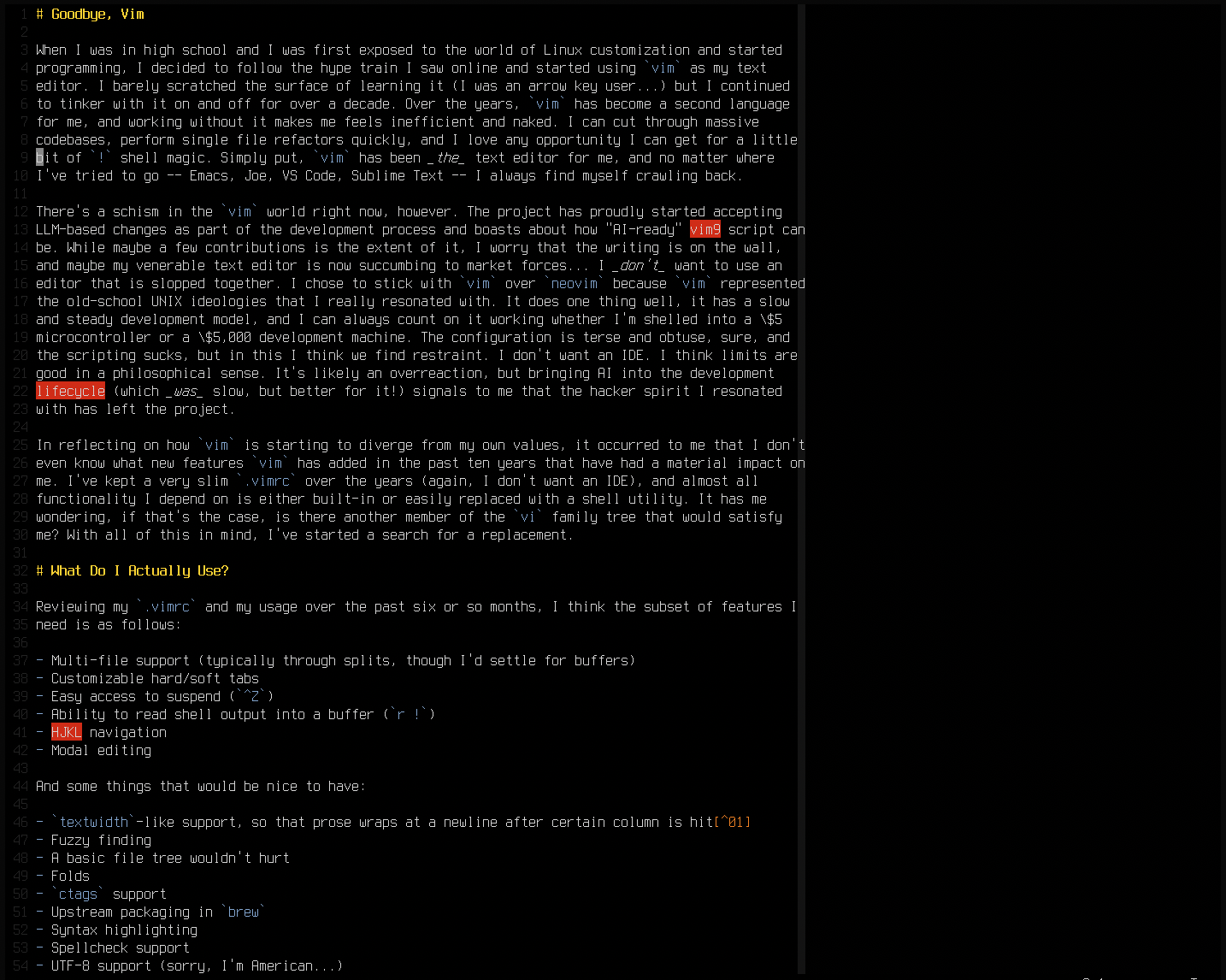 |
|---|
vim as I type this post (yo dawg…) |
There are other features I rely on constantly, e.g. fugitive and vim-go, but I’m certain that I
will have to sacrifice this functionality since I’m leaving the mainstream.
What Are My Options?
I won’t regale you with the history, but vim as we know it is the result of twenty-plus years of
feature additions to a basic vi clone. As such, starting with the vi family tree is a great
place to begin looking for alternative. Better yet, someone recently wrote a fantastic blog post
that puts together a basic catalog of the history of vi
clones. Starting there, we have effectively two
paths to walk: do we want to stick with the direct UNIX/BSD lineage, or do we want to try a clone
from the personal computing era?
nvi
Let’s start with nvi, which is a descendant of elvis, but is trimmed down significantly to be
bug-for-bug compatible with the original BSD vi. It’s worth noting that the fork between these two
code-bases occurred well over twenty years ago at this point, so there is almost no resemblance.
Opening nvi for the first time is almost oppressive in how minimal it is, even compared to the
venerable vim. The keybindings are mostly familiar, though backspace in insert mode does not
function as one might expect in the year 202X.
I was also a bit lost in regards to how some functionality worked, such as file name completion.
That was, until I stumbled onto a very thorough blog by Matt Widmann that details how to configure
the damn thing so that it feels more like
vim!. I also found another post
of his that covers “implementing” some modern
functionality that I rely on, such as fuzzy-finding and paragraph wrapping. Honestly, this blog took
me from “eh” to “this is genuinely a viable alternative” in a matter of an hour. Given the things
he’s documented, a couple of other features I’ve found (vertical splits and ctags!), and the
packaging situation, this is a very good option. The biggest downside is the lack of proper UTF-8
support2 and some slightly different keybinds, but neither is a deal-breaker for my needs.
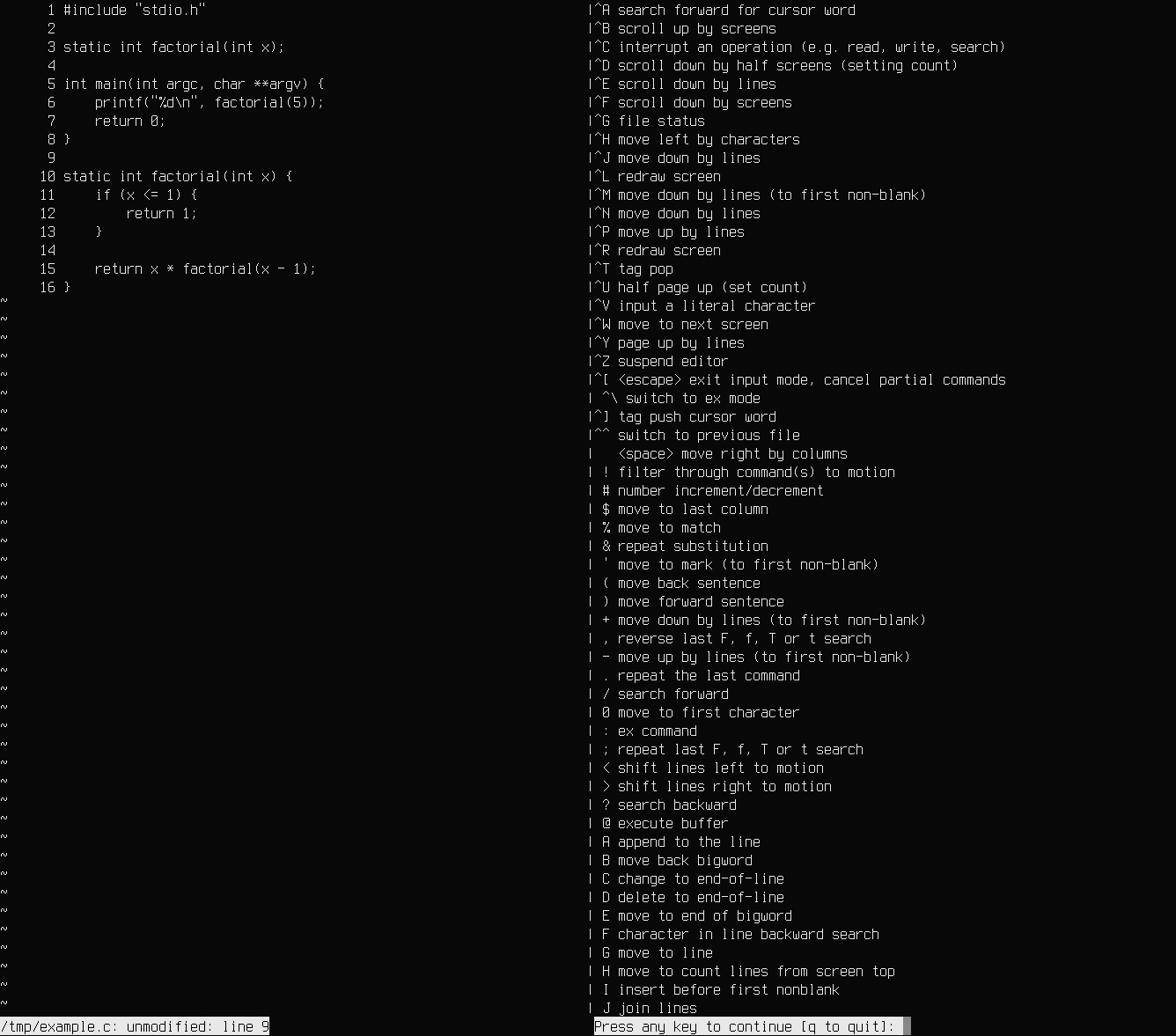 |
|---|
nvi in action once I got things configured |
elvis
Since nvi is largely treated as a buttoned-up Real vi ImplementationTM, I wanted to make
sure I tried out some of the weirder examples that exist independent of the Cathedral development
style. elvis caught my attention because it is charmingly strange. It also has a largely stalled
development cycle at this point, but unlike nvi, elvis is almost a bizarro-world vim. For over
twenty years, elvis has slowly been growing in features rather than sticking with the strict UNIX
legacy (much like vim), to the point that calling it a “vi clone” is really underselling it.
Perhaps there’s a world where elvis won the vi clone wars! For instance, elvis proudly renders
HTML in-editor, and it even supports web browsing if you want to use the world’s most obscure user
agent. I frickin love it. Unfortunately, elvis is niche enough these days that it does not have a
presence on most package managers, including Debian and Homebrew3. I gave building a shot on
Debian, and I had to hack up the configure script to get it to compile, which is not the best sign.
Debian isn’t exactly exotic.
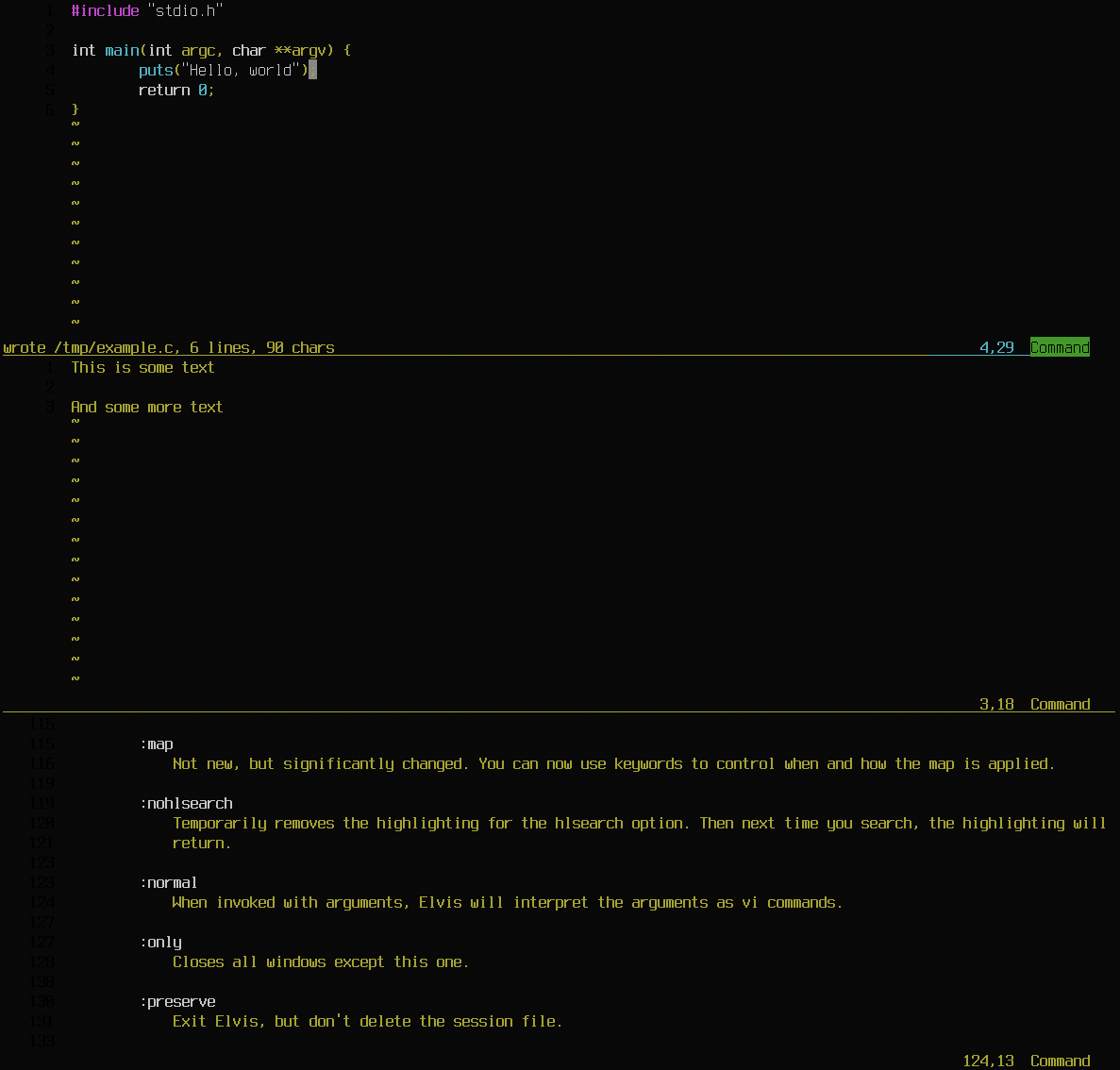 |
|---|
elvis in action, look at the syntax highlighting! |
Once I got elvis up and running, I was very overwhelmed. While I initially considered it a point
in its favor, the “different timeline” aspect made it very hard to get started, and the
documentation sprawled for pages and page and pages. I’ll keep this in my back pocket, but between
the failing build, the lack of packaging, and generally what seems to be a total absence of
mind-share about this one, I’m likely going to rule it out. There are also some other issues at
play, such as the default theme effectively hiding line numbers, that would require a lot of
tweaking to sort out.
vile
vile is almost as weird as elvis, albeit in a more controversial way: it is a mishmash of
emacs and vi in a single editor. In fact, it was forked from a stripped down emacs named
uemacs, which is famously what Linus Torvalds used to develop the Linux kernel. I try to keep an
open mind, but this editor felt just a little bit too divergent from what I expected/wanted, though
it does seem powerful. vile is slightly less sprawling when compared to elvis, but there are
effectively two sets of keybinds operating at once. Most operations are done in a standard modal
vi style, but a surprising amount use the emacs key chord setup, prefixing sequences of keys
with ^X. Not my cup of tea. That said, I do admire that this editor is still passionately
maintained after all these years. It has an undeniable charm.
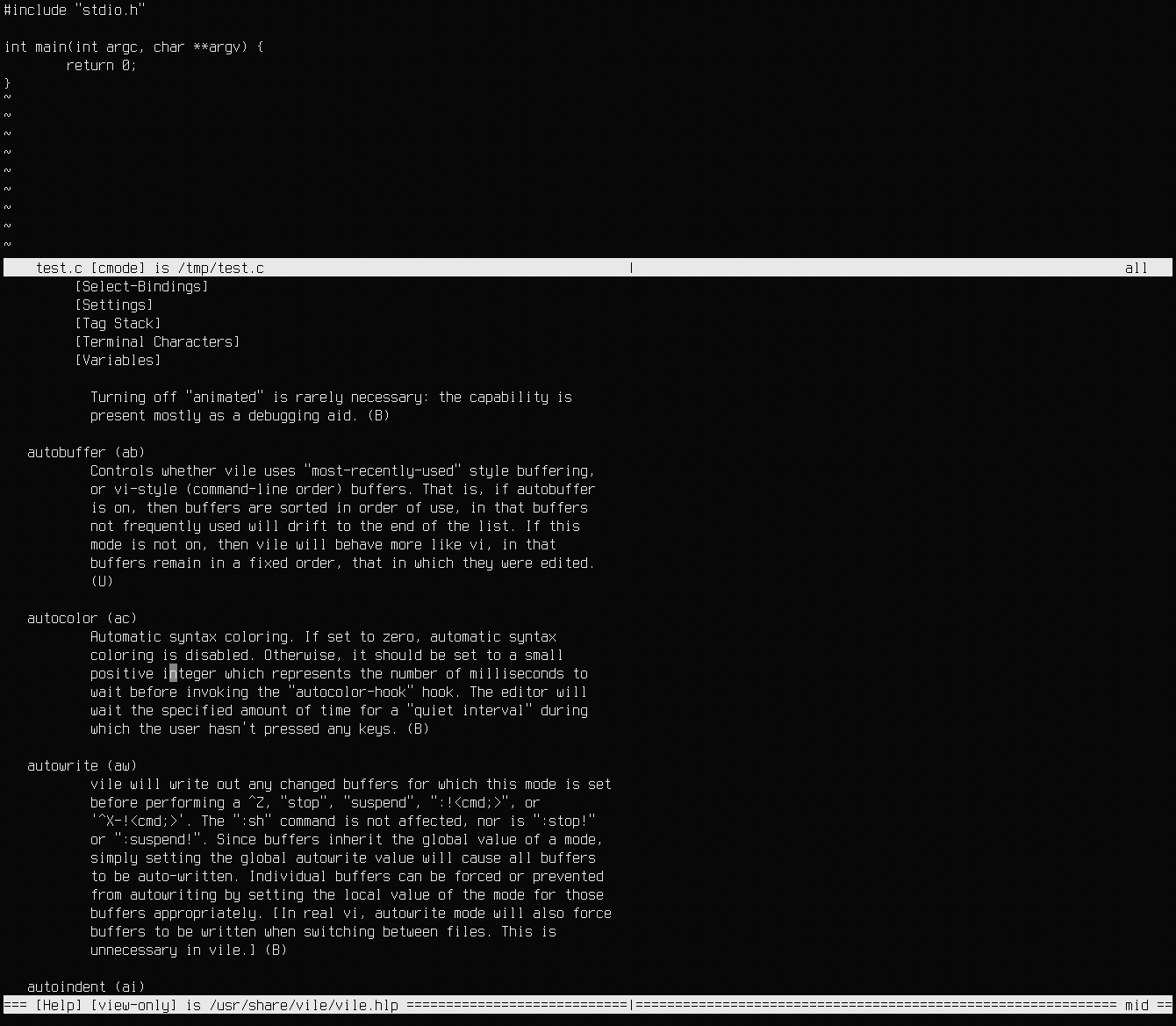 |
|---|
vi user mystified by keychords (colorized, 2026) |
As an aside, I couldn’t get the syntax highlighting to work (neither set hl=on or set ac=10
seemed to do anything), which would require more investigation to sort out. The weirdest thing I
found was that :q does not quit the current buffer, it quits the entire editor, which was a rake I
stepped on repeatedly while testing it out.
Viper Mode (emacs)
If vile wasn’t off-putting enough, I figured it was worth at least mentioning viper-mode (and
evil) if only to discuss why I won’t really consider them. It’s almost too easy to poke fun at
emacs, but it is truly a marvel of software. It almost transcends the lines between “editor” and
“operating system,” which I say not as a jape, but with a fearful reverence… It’s no shock then,
that there are two different vi compatibility layers available. viper-mode is built in, and
emulates vi throughout the editor. evil-mode does the same, but also replicates the extended set
of vim keybinds and behaviors. These emulators are disgustingly thorough, and truly are
second-to-none in terms of accuracy.
However, I personally find emacs too expansive and all-encompassing for my needs. I’ve gone down
this rabbit hole before (I think I used emacs as my main text editor for work for six or so
months) and the problem is that there is almost no bottom to the abyss of flexibility offered by
emacs. At some point, when you use these emulation layers, you have to interact with the core of
the editor. Unfortunately, that usually means writing a lot of configuration. It’s super powerful,
but it goes back to my original point about vim being better off having a limited configuration
language. Sure, I can do all sorts of Lisp magic in a configuration file, lazy-load my dependencies,
etc. etc. but for my money (or lack thereof, given this is free software), I just want some sane
defaults and a terse way to flip settings on and off.
Maybe I’ll revisit emacs at a later point, but I can’t stomach the wormhole of configuration for
now.
joe
Joe’s Own Editor (joe) is a text editor with a very long history, but it has nothing to do with
vi, nor does it support vi keybinds. It was inspired by Wordstar, which is a little unusual, and
I’d pin its origins closer to MS-DOS than I would UNIX. Why am I talking about it? It’s simply
another portable text editor with a steady development history, and while the keybindings aren’t my
favorite, I did want to give it another shot since I remember liking it a long time ago.
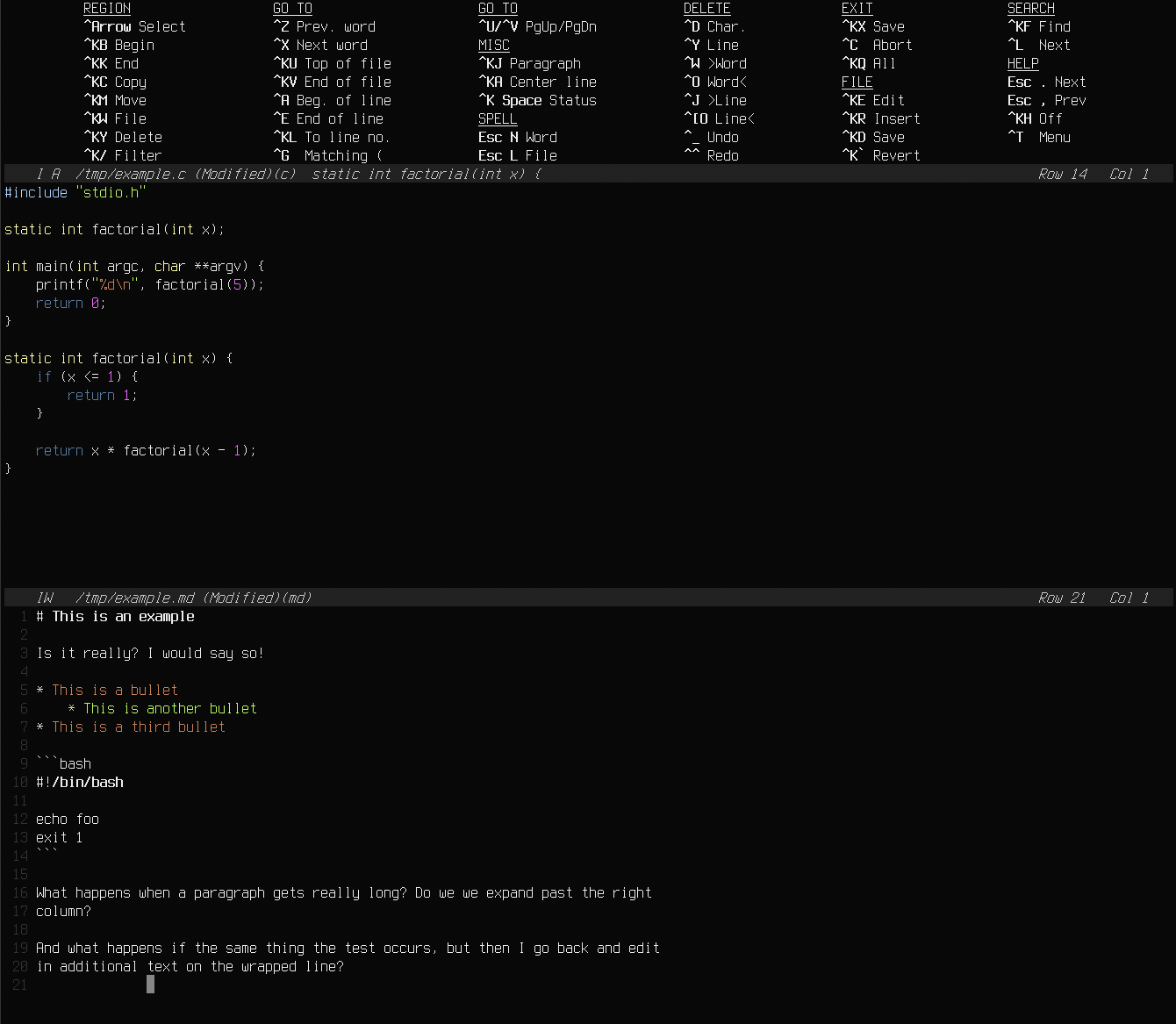 |
|---|
| There’s some clutter, but almost everything can be easily toggled on/off |
Stepping back into joe today, I still found the experience quite comfy, even with strange
keybinds. There is a jmacs frontend that switches to a more familiar set of emacs bindings if
that’s your cup of tea. What surprised me the most (though maybe it shouldn’t since this was
inspired by a word processor) is the pleasant behavior for writing prose! The indentation
functionality worked exactly like textwidth, and a keybinding re-flowed the text just like gq.
The syntax highlighting also worked well enough, and the visual menu for tweaking settings was very
easy to use. The lack of vertical splits is a bummer, but I may want to use joe in the future for
all of my non-programming needs given the nice paragraph facilities.
vim Forks
There are two hard forks of vim that have surfaced for the same reasons I am looking to jump ship:
vim-classic and evi. vim-classic chose a version of vim 8 that predates the new scripting
system, and evi simply chose the last commit of vim 9 that was not coauthored by an LLM. It
would be great if either of these gained some traction, but in practice I am not holding my breath,
and I am not interested in testing them at this time. Besides literally just being vim already,
which wouldn’t be that interesting to explore, I want to wait and see if they can survive. Forks –
especially forks done for philosophical reasons and not technical changes – are always a gamble,
and it will take years before we can understand whether these are just a flash in the pan. Barely
anything feature-wise differentiates them at this moment, and they are already competing for the
slimmer subset of die-hards that did not jump ship to the shinier fork, neovim, when that drama
was brewing several years ago.
Neither project has shipped a release yet, nor has any package manager started offering them as far as I can tell. If either of these forks calcifies into a real community with any amount of long term support, I may jump back in. But cynically, I really doubt that there’s a long or happy life for either of these editors.
The Saga Continues
I was actually ready to adopt nvi and started typing out a conclusion to this piece, but as I
began to work on a couple of map macros, I stumbled upon a segfault… Uh oh. For my own sanity
since I recently updated my MacOS version, I decided to force a brew reinstall. Still segfaults.
Worse than that, I noticed something in the brew logs: nvi was officially deprecated by brew
as I was writing this, and will stop being shipped in a
year. I suppose this makes sense, given the
lack of upstream maintenance, but they specifically mention wanting to “reduce BDB formula usage.”
What is that about? I thought BDB was a pretty standard component…
Berkeley DB (BDB) is a historic in-process database format originating from the olden days of BSD
dominance. A lot of BSDs provided their own drop-in compatible db.h as part of their core OS, but
on Linux (and the prison that is MacOS), it’s been necessary to pull in a library dependency
instead. A tragedy befell the project in 2006, however: Oracle purchased the company that was
maintaining Berkeley DB, Sleepycat software. The original license for the upstream BDB project was a
relatively lenient OSI-approved license, but in 2013, for some unknown reason, Oracle decided to
move it to the AGPL. Now, I’m not opposed to the AGPL in general – it makes a lot of sense for
server software when you don’t want a mega corp to repackage your system as a Cloud ServiceTM –
but choosing to use this license for a software library that requires linking is absolute fucking
insanity. Most projects have had to choose between replacing BDB, using an old pre-AGPL version
(which gets harder all the time), changing their own license (which is rarely practical), or YOLO it
and see if Oracle notices. I personally would not try my luck against a corporation notorious for
suing its own
customers with
regularity. For package managers like Homebrew, this is a nightmare situation, and I can’t blame
them for wanting to completely remove the package and its dependents.
I guess I’m going back to the list…
nvi2
nvi2 is a fork of nvi that adds a number of useful features, including passable UTF-8 support.
It’s got a lot of active contributors, I believe it ships with some BSDs, and it generally seems
like a much healthier project than plain nvi. Besides not being packaged in a lot of places, I was
disappointed to learn that nvi2 is also dependent on BDB, and getting it to build portably seems
to require pulling in ancient BDB versions. If this
fork ends up becoming popular for replacing nvi itself, I’d be happy to give it a shot, but the
lack of portability is a no-go for me at this time.
xvi
Usually when a software project advertises itself as the “smallest,” I’m bracing for a sub-par
experience. Despite putting its small size front-and-center on its (spartan) homepage, xvi totally
surpassed my expectations, and in some regards, its experience puts other vi implementations to
shame. Building it was super easy and only required curses as a dependency. The real magic is the
editing experience itself: unlike almost every other vi, backspace is handled in a sane way. I
also found the “UI” to be very clean, with little clutter. Compared to other examples I’ve looked
at, such as vile, this is very easy on the eyes. My only complaint is that :q quits the entire
editor instead of the active window, which is some very hard muscle memory to lose.
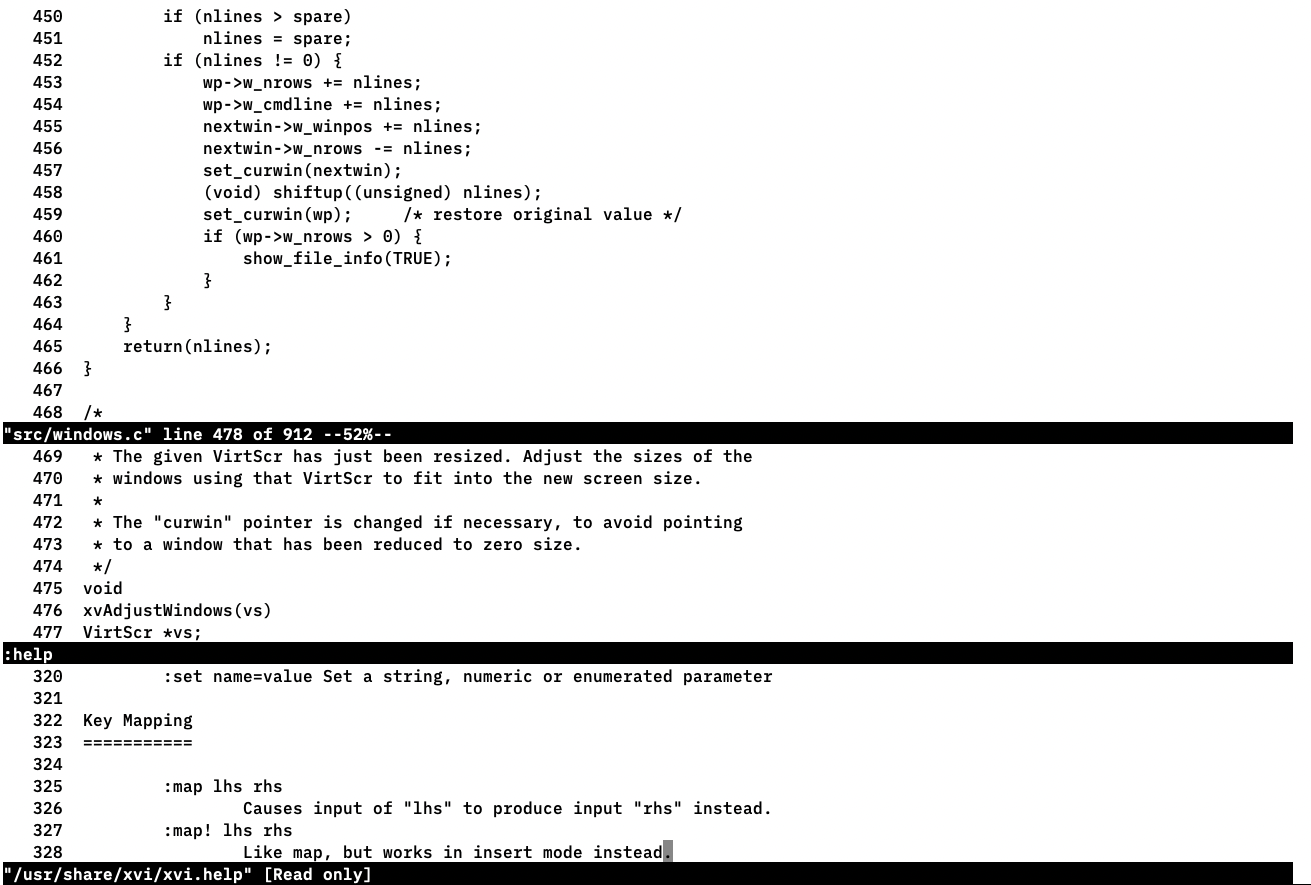 |
|---|
Poking through source code with xvi |
Unfortunately, xvi follows the familiar tale of waning maintenance. The project has not seen
activity in several years, and worse, one of the last things that happened in the repository was a
confusing move from using issues to using text files in the
repo… Do I open a pull request instead of filing a
bug? This editor also has a rather unfortunate name that just so happens to share a common prefix
with a popular adult video website. xvi is simply too niche to win any SEO war, and I almost
instantly regretted the DuckDuckGo search I made to try and find the project.
I briefly pondered about forking this project, though I think any proper fork will need a full rename that has a bit less baggage.
OpenVi
If I’m not mistaken, this was added to The Vi Family blog post at some point after I had started
writing this piece, and I’m not disappointed that I checked again. OpenVi forked from the vi
used in OpenBSD, which was originally forked from nvi. It feels very similar to nvi, of course,
though there are some minor user-facing changes that have occurred. OpenVi also adds its own set
of features (such as sane backspace behavior) rather than trying to maintain the original 4.4BSD
behavior perfectly.
Given that I dropped nvi and skipped nvi2, you might wonder why I’m bothering with OpenVi at
all. The answer is portability: under the hood, OpenVi packages its own db.h implementation and
the only dependency it needs is curses. This lets me have my cake and eat it too. It’s trivial to
build this project on MacOS, Linux, and any BSD, and it still shares the same familiar core of
nvi. In fact, I was able to fire this up with the same .nexrc file and try out the macro that
was segfaulting in nvi. Sure enough, no segfault, and I get to be smug that my incantation was
indeed correct, even if I couldn’t test it.
My only complaint is that there are only horizontal splits. Given that most monitors are wider than they are tall, this is unfortunate, but it’s a small price to pay.
Moving Forward
I had a lot of fun poking around these editors, and it gave me nostalgia for my early days tinkering
with Linux and exploring the world of Free Software. It will be very challenging to break my habits,
but I think OpenVi is the clear winner to replace vim for me, especially since it seems to have
some amount of activity and mind-share. I will need to get used to the missing motions and features,
and it may even be worth reading the code-base to get a slightly better grasp of what’s on offer.
Mercifully, the scale of most of these code-bases pale in comparison to what vim eventually
ballooned into, so I could meaningfully interact with their code-bases.
One additional thing I learned (and I might do further writing to evangelize a bit) is that for
plain vi, most of the configuration is POSIX-defined and can easily be transferred between the
different variants. Once you learn how to escape escape codes for a map, you’re most of the way to
being able to recreate most vim creature comforts. After the more complex mappings and tricks
clicked for me after reading Matt Widmann’s blog, I wrote a number of facilities myself, and if I
ever go back to vim I’ll likely implement some of the plugins I depended on using shell utilities
and macro shenanigans. The fundamentals of dynamism in vi via registers are simultaneously simple
and clever, and figuring out how I could use old-fashioned UNIX utilities to replace some built-in
behavior I had grown accustomed to was very satisfying.
I will surely miss vim – the colors, the help facilities, the cozy configuration, the obscure
plugins – but the world is changing and it has taken vim along for the ride. I am still
experiencing a lot of grief from the seismic shifts that LLMs have inflicted on software, and maybe
this is yet another step backwards for me. If anything, I think shedding some of the functionality I
rely on for a while will hopefully give me more discipline and unshackle me when/if I start using
something a bit more powerful in the future. When I look back, removing “crutches” from my editing
life-cycle and eschewing IDEs is ultimately what built up a lot of my muscle memory and instinct as
a software developer, and this may be an opportunity in that regard.
vim is dead! Long live vim!
I discovered while working on this that, historically,
fmt(1)was an external tool you would shell out to inexfor this behavior. I also realized I could do something even more obvious – just filter lines throughpandoc.It’s a bit unclear, but as far as I can tell, the original
nviis what package managers are shipping, notnvi2which extends the code-base with UTF-8 support.Confusingly, there is a package named
elvisin Homebrew, but it’s simply a name collision.
 RSS
RSS